Fast read
The INT modem or Datamanager inside a Fronius inverter connects the system to your home internet network. This allows the inverter to send performance data to the Fronius Solar.web monitoring platform. If the internet connection is lost, the solar system continues generating electricity but monitoring data will not update. Restoring the network connection typically resolves the issue.
What Is the INT Modem in a Fronius Inverter?
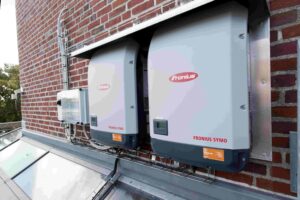
The INT modem in a Fronius inverter is part of the communication system that connects your solar inverter to the internet. In many Fronius systems this functionality is handled by the Datamanager, which acts as the communication hub for the entire solar setup.
Its role is to link the inverter to your home network, either through Wi-Fi or an Ethernet cable. Once connected, it allows the inverter to send performance data to the Fronius Solar.web monitoring platform. This enables homeowners to track solar production and system performance through a mobile app or online dashboard.
Without this communication function, the inverter would still generate electricity, but you would not have access to live monitoring or system data.
Why Is Internet Connectivity Important for Solar Monitoring?
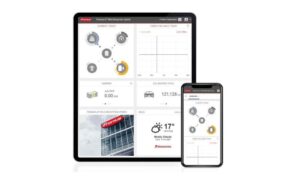
The internet connection allows your inverter to regularly send operating data to the Solar.web monitoring platform. This information typically includes solar production, household consumption and grid interaction.
The system automatically uploads updates at regular intervals, often every few minutes. This creates a detailed record of your solar performance over time.
Monitoring your system provides several benefits. It allows you to confirm that your solar panels are producing electricity correctly, track how much energy you are generating and identify any unusual changes that may indicate a system issue.
What Happens If the Inverter Loses Internet Connection?
A lost internet connection is one of the most common reasons homeowners cannot see current data in their solar monitoring app. This can occur if the home Wi-Fi password changes, the router is replaced or the signal strength at the inverter location becomes weak.
When the inverter loses its internet connection, the solar system itself continues operating normally. The panels still generate electricity and the inverter continues supplying power to the home.
The only thing affected is the monitoring service. Until the connection is restored, the inverter cannot upload performance data to the Solar.web platform.
How Can You Check if Your Fronius System Is Connected?
The easiest way to confirm the connection is to open the Solar.web app or portal and check whether the system is displaying current data. If the information is updating normally, the communication link is working correctly.
If the app shows outdated information, the inverter may have lost its network connection. In many cases, the inverter’s indicator lights will display a warning symbol or red light near the communication indicator.
Reconnecting the inverter to the home network usually restores monitoring functionality. This can often be done through the inverter’s configuration interface or with assistance from the original installer.